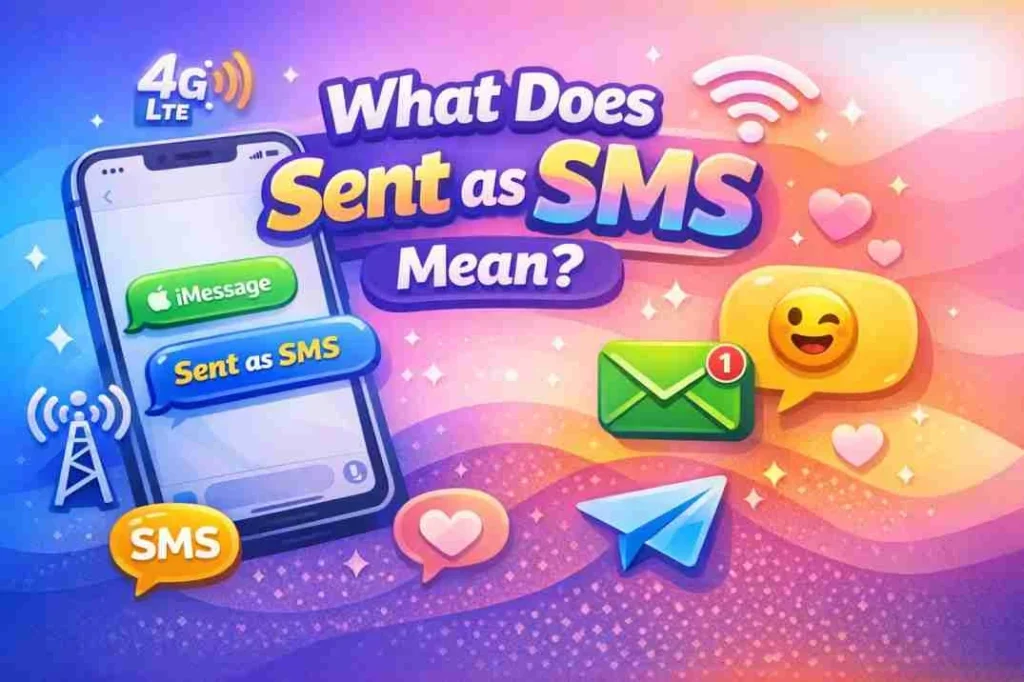

“Sent as SMS” means that your message was delivered using the traditional Short Message Service (SMS) protocol rather than through an internet-based messaging service like iMessage, WhatsApp, or Messenger. This usually happens when internet-based messaging is unavailable or when sending a message to someone who does not use the same messaging platform.
When you send a message from your phone or messaging app, you may notice the label “Sent as SMS.” But what does sent as SMS actually mean?
It’s a subtle detail, but understanding it helps clarify why some messages behave differently in delivery, appearance, or cost.
Origin of SMS
The concept of SMS (Short Message Service) dates back to the 1980s.
- 1984: SMS technology was first proposed as a method to send short, text-only messages over mobile networks.
- 1992: The first SMS message was sent in the UK. The message simply read: “Merry Christmas.”
- Early 2000s: SMS became widely used globally, becoming the default way to send short text messages before smartphones and internet messaging apps appeared.
SMS remains the universal standard for text messaging, especially when internet connectivity is poor or unavailable.
Why Messages Are “Sent as SMS”
Modern smartphones and apps like iMessage, WhatsApp, Facebook Messenger, or Google Messages can send messages over the internet (data or Wi-Fi) for free. However, when these services cannot send a message over the internet, your phone will often automatically send the message as SMS.
Common Scenarios:
- No Internet Connection:
If your or the recipient’s device is offline or has no mobile data, messages default to SMS. - Recipient Doesn’t Use the Same Service:
- iPhone sending to an Android via iMessage → SMS may be used.
- WhatsApp or Messenger may fall back to SMS if the app is unavailable.
- Network Issues:
Weak Wi-Fi or mobile network errors can trigger the SMS fallback. - Settings:
Some apps allow “Send as SMS” if delivery fails through the app.
SMS messages are generally text-only and may have a character limit, unlike multimedia messages sent through apps.
Differences Between SMS and Internet Messaging
| Feature | SMS | Internet Messaging (iMessage/WhatsApp) |
|---|---|---|
| Delivery Method | Mobile network | Internet (Wi-Fi or mobile data) |
| Cost | Usually charged by carrier | Free over data/Wi-Fi |
| Multimedia Support | Limited (MMS needed for media) | Images, videos, GIFs, voice notes supported |
| Encryption | Not end-to-end encrypted | Often end-to-end encrypted |
| Read Receipts | Not standard | Usually available (blue ticks, delivered) |
Key Takeaway: “Sent as SMS” indicates a fallback to the traditional text network when modern internet-based messaging is unavailable.
Examples of “Sent as SMS” in Real Life
- iMessage on iPhone:
- Blue bubble: Sent via iMessage
- Green bubble with “Sent as SMS” label: Message sent through SMS due to no internet
- WhatsApp Fallback:
- WhatsApp may attempt to deliver a message via SMS if the app cannot connect.
- Cross-Platform Messaging:
- Android to iPhone: No iMessage available → message defaults to SMS.
- Network Error Scenario:
- Weak signal → app cannot send over data → message automatically sent as SMS to ensure delivery.
Example Text:
“Hey! Are you coming to dinner?” → Sent as SMS due to no Wi-Fi.
Tone and Context Considerations
- Neutral/Informative: Mostly technical or explanatory.
- Polite/Professional: Sent as SMS does not indicate error or failure.
- Urgent Messages: SMS ensures delivery even without internet, making it more reliable in emergencies.
Polite Alternatives or Explanations
Sometimes people ask why a message says “Sent as SMS.” Here are some polite ways to explain:
- “Your message was delivered using regular text messaging since iMessage was unavailable.”
- “Sent as SMS due to no internet connection at the moment.”
- “This message was sent over the mobile network for guaranteed delivery.”
Table: Technical Explanation vs User-Friendly Explanation
| Term | Technical Explanation | User-Friendly Explanation |
|---|---|---|
| Sent as SMS | Delivered using Short Message Service over mobile network | Your message was sent as a regular text |
| iMessage / Internet Msg | Delivered via internet, encrypted | Your message was sent through Wi-Fi/data |
| Failed Internet Delivery | App unable to send over network | Message sent as SMS instead |
Alternate Meanings of “Sent as SMS”
While most of the time it refers to text messages, there can be other interpretations in specific contexts:
- Marketing/Business:
- “Sent as SMS” may appear in reports from bulk SMS services.
- App Development:
- Developers may log messages as “Sent as SMS” when falling back from push notifications or internet messaging.
For general smartphone users, the default meaning always relates to text messages over the mobile network.
Pros and Cons of Sent as SMS
Pros:
- Works without internet
- Reliable delivery on mobile networks
- Supports emergency communication
Cons:
- May incur carrier charges
- Limited multimedia support
- No read receipts (standard SMS)
- No end-to-end encryption
Table: Pros and Cons of “Sent as SMS”
| Pros | Cons |
|---|---|
| Works without internet | Possible carrier charges |
| Reliable network delivery | Limited media support |
| Universal across all phones | No standard read receipts |
| Useful in emergencies | Less secure than app messages |
Practical Tips for Managing Sent as SMS
- Check your internet connection before sending critical messages.
- Enable or disable SMS fallback in your messaging app according to preference.
- Be aware of carrier costs for SMS if your plan is limited.
- Use SMS for emergencies or when internet is unreliable.
- Understand that SMS may not show read receipts, so follow up if needed.
FAQs
1. What does Sent as SMS mean on iPhone?
It means your message was delivered using the mobile network because iMessage was unavailable.
2. Does Sent as SMS cost money?
Yes, depending on your mobile plan, SMS may incur standard texting charges.
3. Why does my phone send messages as SMS?
This usually happens due to no internet connection, network issues, or cross-platform messaging.
4. Can Android messages show Sent as SMS?
Yes, when sending messages through apps like Google Messages or WhatsApp fallback.
5. Is Sent as SMS secure?
Standard SMS is not encrypted, so messages are less secure than internet-based messaging apps.
6. Can I prevent my messages from sending as SMS?
Yes, you can disable SMS fallback in your messaging app settings.
7. Will multimedia work in Sent as SMS?
Standard SMS only supports text; MMS is needed for photos, videos, or GIFs.
8. Why do some messages go from iMessage to SMS automatically?
iMessage may fail if there is no Wi-Fi or data available, triggering SMS delivery instead.
Conclusion
“Sent as SMS” is a simple but important notification in messaging apps. It indicates that your message was sent using the traditional Short Message Service, ensuring delivery even when internet-based messaging fails.
Understanding this concept helps clarify delivery issues, manage expectations, and make informed decisions when sending messages. Whether for personal or professional communication, knowing when a message is sent as SMS ensures you can communicate effectively and reliably.
Read More Related Articles:
- Ted McGinley Net Worth: TV Actor Earnings & Assets (2025-26)
- Yuno Miles Net Worth: How Much Is the Rap Star Really Worth? (2025-26)